One Day, Nine Victims: How APK Files, Fake Updates and Impersonation Drained ₹11.62 Lakh in Ahmedabad
A reported Ahmedabad cyber-fraud incident shows how quickly fake APK files, software-update alerts, bank impersonation and gas-bill messages can turn into financial loss. Here are the warning signs and practical steps to protect your phone and money.
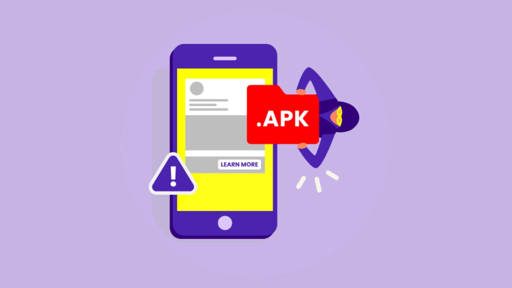
A phone update notification can look harmless. A customer-care call can sound professional. A message warning that your gas service will be disconnected can create immediate panic.
But these ordinary-looking moments are increasingly being used by cybercriminals to access phones, steal banking information and transfer money without the victim’s knowledge.
A Gujarati newspaper report published on August 31, 2026, described a serious cyber-fraud incident in Ahmedabad in which nine people—including a senior citizen, doctors, nurses, traders and other residents—were reportedly defrauded of a combined ₹11.62 lakh. According to the report, criminals used fake bank calls, malicious APK or ZIP files, fake software updates, gas-service messages, refund scams and screen-sharing requests.
The reported cases are different on the surface, but they follow the same pattern:
Create trust. Create urgency. Obtain access. Move money or steal data.
What Happened in Ahmedabad?
According to the report, several victims were targeted through different forms of digital social engineering. The attackers did not use one single script. Instead, they adapted their approach to each victim’s situation.
A senior citizen lost ₹4.71 lakh
A 71-year-old retired resident of Satellite reportedly discovered that ₹4.71 lakh had been withdrawn from his bank account through six transactions. The withdrawals allegedly occurred without his knowledge, and a complaint was filed with Anandnagar Police Station.
A fake phone update preceded a ₹40,000 withdrawal
A woman from Saraspur was reportedly listening to music when her phone appeared to begin updating automatically. During that period, ₹40,000 was allegedly withdrawn from her bank account.
The report states that the attackers may have used an APK or ZIP file to compromise the device.
Another fake update allegedly led to ₹2.07 lakh loss
A Vadaj resident reportedly received a notification while watching a video and proceeded with what appeared to be a phone update. After restarting the device, the victim discovered that ₹2.07 lakh had allegedly been withdrawn from the bank account.
A fake customer-care agent targeted a nurse
A nurse from Thaltej had reportedly ordered a teddy bear online and later searched for a helpline number to request a refund.
A person claiming to represent customer care allegedly sent an APK file. After it was opened, the victim’s phone was reportedly compromised and ₹75,000 was withdrawn.
A fake pension offer led to a ₹98,000 loss
A Khokhra resident reportedly saw a Facebook advertisement related to a bank pension and entered personal details. A cybercriminal then allegedly sent an APK file and asked for a Google Pay PIN under the pretext of creating a senior-citizen pension card.
The victim reportedly lost ₹98,000.
A fake bank employee used a failed ATM transaction
A Gomtipur resident reportedly experienced a failed ATM transaction. After contacting the bank, the person spoke to someone claiming to be a bank employee and received a link.
After opening it, ₹53,000 was allegedly withdrawn from the account.
A fake gas-disconnection message led to ₹1.63 lakh loss
A 62-year-old business owner from Ambawadi reportedly received a message claiming that his gas service would be disconnected because his bill details had not been updated.
The message included a link. After opening it, ₹1.63 lakh was allegedly withdrawn, according to the report. A complaint was filed with Ellisbridge Police Station.
A hospital-payment story was used to obtain ₹55,000
Another woman from Thaltej was reportedly told that someone had paid rent for a cricket ground and that a relative of the payer had been admitted to hospital.
The fraudster allegedly claimed that two amounts—₹40,000 and ₹50,000—would be deposited into her account so that a hospital bill could be paid. Using this story, the victim was reportedly defrauded of ₹55,000.
A BGMI player lost access to game data
A doctor from Ranip reportedly received a call while playing BGMI. The caller allegedly praised the quality of his game ID and offered to arrange a UC refund.
The caller then obtained access through screen sharing, allegedly hacked the game account and stole data.
What Is an APK Scam?
An APK is an Android Package Kit. It is the file format used to install applications on Android devices.
When you install an app from the official Google Play Store, the installation process is handled through a trusted distribution channel. When someone sends you an APK through WhatsApp, SMS, Telegram, email or a website, you may be installing software that has not been reviewed or verified by the official app store.
A malicious APK may attempt to:
- Read SMS messages
- Capture OTPs
- Access contacts
- Record the screen
- Abuse accessibility permissions
- Read notifications
- Control parts of the device
- Display fake banking pages
- Forward messages
- Monitor activity
- Steal account credentials
An APK is not automatically malicious, but an unexpected APK from an unknown person, fake support agent, bank impersonator or online advertiser should be treated as dangerous.
Why Fake Phone Updates Are Effective
Software updates are normally associated with security and safety. That makes the idea of an update a powerful disguise.
A fraudster may tell you:
- “Your phone security is outdated.”
- “Install this update to receive your refund.”
- “Your banking app needs an urgent update.”
- “Your SIM or KYC update is pending.”
- “Your device will stop working unless you update it.”
- “Install this file to fix your ATM or payment problem.”
The safest rule is:
Install phone and app updates only through your device’s official settings or official app store.
Do not install a phone update from a WhatsApp attachment, random website, customer-care message, pop-up, APK file or unknown link.
The Common Pattern Across These Cases
Although the reported victims received different messages, the attacks had a common structure.
Step 1: The criminal finds a reason to contact the victim
The reason may involve:
- A failed ATM transaction
- A gas-bill problem
- A product refund
- A pension scheme
- A bank update
- A game refund
- A hospital payment
- A KYC or account issue
Step 2: The criminal creates urgency
The victim is told that something must happen immediately:
- The account may be blocked.
- The gas connection may be disconnected.
- The refund may expire.
- The pension benefit may be lost.
- The phone may stop working.
- The bank transaction must be corrected now.
Step 3: The criminal requests an unsafe action
The victim may be asked to:
- Install an APK
- Extract a ZIP file
- Open an unknown link
- Share the screen
- Provide an OTP
- Enter a UPI PIN
- Give remote access
- Share a bank balance
- Download a “support” application
Step 4: The attacker takes money or data
Once the criminal gains access or obtains sensitive information, they may:
- Initiate bank transfers
- Read OTPs
- Access payment applications
- Steal account credentials
- Take over social or gaming accounts
- Contact the victim’s family or contacts
- Delete evidence
- Continue the fraud from the compromised device
8 Red Flags You Should Never Ignore
1. An APK sent by a bank, delivery agent or customer-care representative
Banks, gas companies, e-commerce companies and legitimate customer-care teams should not ask you to install random APK files to receive a refund or fix an account issue.
Stop the conversation and contact the company through its official website or application.
2. A “phone update” outside device settings
If the update does not appear under your phone’s official settings, do not install it.
Never trust:
text
Phone_Update.apk
Security_Update.apk
Bank_Update.apk
KYC_Update.apk
Refund_Update.apk
3. A link threatening service disconnection
Scammers often use electricity, gas, mobile, broadband and bank-service warnings to create fear.
Do not click the link. Open the official provider’s app or website manually and check your account there.
4. A request for your UPI PIN
Your UPI PIN is used to approve a payment. You do not need to share it to receive money, create a pension card, process a refund or update your KYC.
You enter your UPI PIN only when you are intentionally authorising a payment.
5. A refund that requires remote access
A genuine refund does not require a stranger to control your phone, view your screen or ask you to install remote-access software.
6. A caller who asks you to share your screen
Screen sharing can reveal:
- OTP messages
- Bank alerts
- UPI applications
- Account balances
- Passwords
- QR codes
- Personal conversations
- Recovery codes
Do not share your screen with an unknown caller.
7. A fake customer-care number found through search
Fraudsters sometimes publish or promote fake helpline numbers. A search result is not automatically official.
Find customer support through:
- The company’s official application
- The company’s verified website
- Your original invoice
- Your bank card
- A verified statement or bill
8. A caller who asks you to act while staying on the line
Scammers may prevent you from asking someone else for help. They may say:
- “Do not disconnect.”
- “Do not tell your family.”
- “Do not contact the bank.”
- “Follow my instructions exactly.”
- “Your account will be blocked if you stop.”
This is social engineering. End the call and verify independently.
Five Rules for Safe Mobile Banking
Rule 1: Never install unknown APK files
Do not install APK files received through:
- SMS
- Telegram
- Unknown websites
- Online advertisements
- Unverified customer-care chats
Rule 2: Never share your UPI PIN or OTP
A bank employee, gas-company worker, refund agent, pension official or customer-care executive should never ask you for your UPI PIN or OTP.
If someone asks, end the call.
Rule 3: Verify the caller independently
Use the official number shown on:
- Your bank card
- Your bank’s official website
- Your gas bill
- Your service provider’s official application
- The original company invoice
Do not use a number sent by the caller.
Rule 4: Check your linked devices and applications
Review:
- Installed applications
- Accessibility permissions
- Device administrator permissions
- Screen-sharing applications
- WhatsApp linked devices
- Recent bank transactions
- UPI mandates and collect requests
Remove unknown apps and report suspicious activity to your bank and security team.
Rule 5: Enable security controls
Use:
- Screen lock
- Device encryption
- Official app stores
- Automatic operating-system updates
- App permissions review
- Two-factor authentication
- Banking transaction alerts
- UPI limits
- Separate business and personal devices where possible
What Businesses Should Learn From This Incident
The Ahmedabad cases are also relevant to small businesses. A single compromised personal phone can expose business contacts, payment messages, invoices and authentication codes.
Indian SMEs should create a simple mobile-security policy:
- Employees must not install APKs on devices used for business banking.
- Finance staff should use dedicated banking devices where practical.
- Payment approvals should require two people.
- Employees should verify bank-detail changes by phone.
- Screen sharing with unknown callers should be prohibited.
- Staff should report suspicious links without fear of punishment.
- Business accounts should use transaction limits and alerts.
- Critical accounts should not depend on one employee’s phone.
- Company data should be backed up securely.
- All suspicious incidents should be documented quickly.
What To Do If You Installed a Suspicious APK
Act immediately.
- Disconnect the phone from mobile data and Wi-Fi.
- Do not use the device for banking.
- Call your bank through its official number.
- Ask the bank to block or monitor transactions, cards and UPI services.
- From a clean device, change important passwords.
- Log out of WhatsApp and other accounts on unknown devices.
- Remove suspicious applications only after preserving useful evidence, if possible.
- Take screenshots of messages, phone numbers, APK names, links and bank alerts.
- Contact the cybercrime helpline at 1930.
- File a complaint at cybercrime.gov.in.
- Visit a police or cybercrime unit if required.
- Inform your contacts if your account may have sent fraudulent messages.
If money has already been transferred, speed matters. Contact the bank and 1930 immediately.
How ScamShield AI Can Help
ScamShield AI helps users and businesses examine suspicious digital content before they act.
You can use it to analyse:
- APK or ZIP-file warnings
- Fake bank messages
- Gas-bill disconnection links
- Customer-care scams
- Refund requests
- UPI payment instructions
- Suspicious URLs
- QR codes
- Screen-sharing requests
- Impersonation messages
- Urgent payment language
ScamShield AI can help explain why a message, link or request appears suspicious. However, no detection tool replaces basic security rules:
Do not install unknown applications. Do not share your PIN or OTP. Verify through official channels.
Frequently Asked Questions
Can an APK file steal money from a bank account?
A malicious APK may request excessive permissions or attempt to access SMS messages, notifications, accessibility features or banking information. If attackers obtain control of the device or sensitive credentials, they may attempt fraudulent transactions.
Can a bank employee ask for my UPI PIN?
No. Your UPI PIN is confidential and should never be shared with anyone. You do not need to provide it to receive a refund, pension, payment, KYC update or account correction.
Is every APK file dangerous?
No. APK files can be legitimate, but an APK received unexpectedly from an unknown number, fake support agent, social-media advertisement or unofficial website should be treated as high risk.
How do I know whether a phone update is genuine?
Use your phone’s official settings to check for updates. Do not install updates from WhatsApp, SMS links, email attachments, pop-ups or APK files sent by strangers.
What is a fake customer-care scam?
A fake customer-care scam occurs when criminals pretend to represent a bank, shopping platform, gas company or service provider. They may request an APK installation, OTP, UPI PIN, screen sharing or remote access.
What should I do if money is withdrawn without my permission?
Contact your bank immediately, call 1930, preserve evidence and report the incident at cybercrime.gov.in. Do not wait for more transactions to occur.
Final Takeaway
The Ahmedabad cases show that cyber fraud does not always begin with a sophisticated hacking attack. Sometimes it begins with a phone call about a refund, a message about a gas bill, a fake pension offer or a notification that looks like a routine update.
The criminals succeed when they combine:
text
Trust + Urgency + Access + Payment
Protect yourself with these three rules:
- Never install APK files sent by unknown people.
- Never share your UPI PIN, OTP or screen with a stranger.
- Verify every urgent request through the official channel.
If you receive an unexpected app file, suspicious link or payment request, stop before you click.
Your phone is not just a communication device. It may also be the key to your bank account, identity and business. Protect it accordingly.
Source note: This article is based on a reported Ahmedabad incident published on August 31, 2026. Individual allegations and losses remain subject to police investigation. The reported total was ₹11.62 lakh across nine victims.