
Case Study: The UPI Screenshot Said “Payment Successful.” The Money Never Arrived.
A customer shows a “Payment Successful” screen, collects cash or goods, and leaves. Later, the merchant discovers no money arrived. Learn how fake UPI screenshot scams work and the one check that stops them.
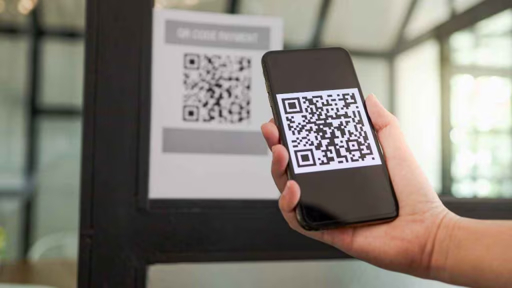
A customer scans a shop’s QR code. Their phone displays a familiar UPI screen. The amount looks correct. The page says:
Payment Successful
The customer shows the screen, asks for the goods, and leaves.
Later, the shopkeeper checks their own PhonePe, Google Pay, Paytm, bank app, or SMS alerts.
There is no credit.
This is a fake UPI payment screenshot scam. The fraudster displays a manipulated screenshot, a cloned payment application, a fake “success” screen, or another false proof of payment to convince a merchant that money has been received when no actual transaction occurred.cashfree
+1
The rule that stops this scam is simple:
The customer’s phone is not proof of payment. Only a credit shown in your own UPI app, bank app, payment soundbox, or bank SMS is proof.
Case Summary
In September 2026, Basti cybercrime police reportedly arrested two individuals accused of cheating customer-service-centre operators by showing fake UPI payment-success screenshots and taking cash without making real digital payments.
According to the report, the accused allegedly claimed they wanted to transfer money through a QR code, offered the operator a commission, displayed a fabricated payment-success screenshot, and asked for the remaining amount in cash. One reported complaint involved a screenshot purporting to show a successful ₹9,090 transaction through SBI YONO. The operator handed over cash but later found that no money had been credited.
Police reportedly said similar allegations involved other locations and that the fraud pattern targeted businesses that were busy, trusted the customer’s screen, or released money before checking their own account.
This article uses the reported Basti case as context and adds a general educational merchant scenario. It does not make findings beyond the reported allegations.
The Merchant’s Side of the Story
Imagine a small business owner who runs a mobile-accessories store.
It is a busy evening. Three customers are waiting. One customer buys accessories worth ₹3,850 and says they will pay by UPI.
The customer scans the shop’s QR code, taps their phone for a few seconds, and then shows a screen:
textPayment Successful

Amount: ₹3,850
To: Mobile Tech Store
Transaction ID: 627481930582
The screen looks like a familiar payment app.
The customer says:
“See, payment is done. Please give me the items quickly—I am getting late.”
The shopkeeper sees the green tick, assumes the transfer is complete, and hands over the products.
But the soundbox did not announce a payment.
No SMS arrived.
No payment appeared in the shopkeeper’s UPI transaction history.
When the shopkeeper checks later, the customer is gone—and no money was ever transferred.
How Fake UPI Screenshot Fraud Works
Step 1: The fraudster selects a busy target
Fraudsters often target places where staff are distracted or customers move quickly:
- Kirana stores
- Mobile shops
- Pharmacies
- Clothing stores
- Cafés and restaurants
- Petrol pumps
- Customer service centres
- Small wholesalers
- Medical stores
- Electronics shops
- Ticket counters
- Street vendors
- Delivery collections
- Service businesses
Busy periods make it harder for staff to check each payment carefully.
Step 2: The fraudster pretends to make a UPI payment
The person may scan a QR code, enter an amount, tap on their phone, and act as if the payment is processing.
They may use:
- A pre-edited screenshot
- An image-editing application
- A fake or cloned payment app
- A fake payment-success animation
- A manipulated transaction ID
- A screenshot saved from an earlier legitimate transaction
Step 3: The “Payment Successful” screen is shown
The fraudster shows a screen that appears to contain:
- A green check mark
- The correct amount
- A merchant name
- A transaction ID
- A payment-app logo
- A time stamp
- The words “Payment Successful”
The purpose is to make the merchant trust the screen before checking their own account.
Step 4: Pressure is added
The fraudster may say:
“The network is slow, but payment is successful.”
“Your soundbox has a delay.”
“Check later—it will come.”
“I already paid. Please give me the goods.”
“I am getting late.”
“The bank server is slow today.”
The goal is to turn a normal payment delay into a rushed business decision.
Step 5: Cash or goods are released
The shopkeeper hands over:
- Goods
- Cash
- Change
- A mobile recharge
- A service
- A ticket
- A gold or jewellery item
- A delivery package
- A gaming or digital-product code
Only later does the merchant discover that the payment did not arrive.
What Happened in the Reported Basti Case?
The reported Basti case is important because it shows that fake-payment proof can be used not only to obtain retail goods, but also to obtain cash.
According to the Times of India report, two men were arrested after allegations that they displayed fabricated UPI payment screenshots to customer-service-centre operators and collected cash without completing actual transactions.
The reported method involved:
textClaimed UPI transfer
→ QR code presented
→ Offer of commission
→ Fake “payment successful” screenshot
→ Operator gives cash
→ No money received
One shopkeeper reportedly believed a screenshot showing a ₹9,090 transaction through SBI YONO and handed over cash. The alleged fraud came to light when the amount did not appear in the account.
The key lesson is that a screenshot, green tick, transaction ID, or app logo on the payer’s phone does not confirm that money reached the merchant.
8 Warning Signs of a Fake UPI Payment Screenshot
1. The customer is in a hurry
Urgency is often used to stop verification.
Be cautious if someone says:
- “Give the goods now.”
- “I’m getting late.”
- “Don’t wait for the soundbox.”
- “The bank server is slow.”
- “I paid already—check later.”
- “The network is weak today.”
2. Your soundbox does not confirm the payment
A payment soundbox is not perfect, but a missing payment alert should make you check your own app before releasing goods or cash.
No sound should mean: pause and verify.
3. No credit appears in your own UPI app
Open your own payment app and check the transaction history.
Do not rely on the customer’s phone.
4. You receive no bank SMS or app notification
If your bank or UPI app normally sends immediate alerts, a missing notification is an important warning sign.
5. The customer refuses to wait
A genuine customer should not object when you check whether payment arrived.
If someone becomes aggressive, impatient or insists that you trust their screen, do not release the goods or cash.
6. The transaction reference cannot be found in your records
A transaction ID displayed on someone else’s phone is not sufficient proof. Check whether the transaction appears in your own payment app, bank statement or merchant dashboard.
7. The merchant name is incomplete or unusual
Look closely at the payee name shown on the customer’s screen. Does it match your actual business or UPI handle? A fake screen may use a generic name or a slightly different version.
8. The screenshot looks too perfect
Look for:
- Misaligned text
- Different fonts
- Blurry numbers
- Odd spacing
- Cropped edges
- Incorrect logo size
- A time that does not match
- A static image rather than a live app screen
- A payment app interface that looks different from the real app
However, visual checks alone are not enough. The only final check is whether you received the money.
The One Rule Every Shop Must Follow
No credit, no goods. No credit, no cash. No credit, no service.
Create a simple policy for everyone at the counter:
text1. Customer scans the QR code.

2. Customer completes payment.

3. Staff checks the merchant’s own UPI app, bank app or soundbox.

4. Staff confirms the correct amount and time.

5. Only then are goods, cash or services released.
Do not make exceptions because:
- The customer seems respectable.
- The customer is known in the area.
- The shop is busy.
- The amount is small.
- The customer shows a convincing screen.
- The person says they are a doctor, employee, student, officer or regular buyer.
- The payment app “looks real.”
A fake screenshot can be created in seconds. A real credit must appear in your account.
How Shopkeepers Can Prevent Fake UPI Payment Fraud
Turn on payment sound alerts
Use a UPI soundbox or enable instant payment alerts from your bank or payment application.
The soundbox should support—not replace—your own transaction check.
Check your own phone before handing over goods
Keep your merchant UPI app or bank app ready.
Make it a habit:
textCustomer’s screen = not proof
Merchant’s credit confirmation = proof
Train every employee
Your cashier, delivery worker, sales assistant, counter helper and family member should know the rule.
Explain that no one will be blamed for taking a few seconds to verify payment.
Display a notice at the counter
Print and place this near your UPI QR code:
textUPI PAYMENT NOTICE

For your safety and ours,
goods will be handed over only after
payment is confirmed in our account.

A screenshot is not proof of payment.
Thank you for understanding.
Keep your QR code protected
Check that your QR code has not been covered, replaced or altered with a sticker.
Use a clear, official QR code linked to your verified merchant account.
Do not give cash against an unverified QR payment
Customer-service centres, retailers and cash-handling businesses face extra risk.
Never hand over cash simply because someone shows a UPI payment-success screen. Confirm the credit in your own system first.
Review payments at the end of the day
Match:
- Sales records
- UPI transaction history
- Bank statement
- Soundbox records
- Cash collected
- Credit-card receipts
- Refunds
- Cancelled payments
This can help you identify a missing payment quickly.
What To Say to a Customer While You Verify
You do not need to accuse anyone. Use a calm, standard message:
“Thank you. Our policy is to hand over goods once the payment appears in our account. It usually takes a few seconds.”
If the payment has not appeared:
“The amount is not showing on our side yet. Please wait a moment while we check the transaction history.”
If the customer pressures you:
“For security, we can only accept confirmation from our own UPI app, bank app or soundbox.”
A genuine customer will usually understand. A scammer may try to rush, confuse or intimidate you.
What To Do If You Were Cheated
If you handed over goods or cash after seeing a fake payment screenshot, act quickly.
Step 1: Preserve all evidence
Save or collect:
- Screenshot shown by the customer, if available
- CCTV footage
- Date and time
- Amount involved
- Goods or cash handed over
- Customer phone number
- Vehicle number
- Customer description
- Transaction ID shown on the screen
- Your own UPI transaction history
- Bank statement
- Shop bill or invoice
Step 2: Contact your bank or UPI provider
Report the incident through your bank, UPI application or merchant-payment provider.
Explain that the payment shown by the customer did not arrive in your account.
Step 3: Call 1930
Contact India’s National Cyber Crime Helpline:
text1930
Report as quickly as possible and keep the complaint reference number.
Step 4: File an online report
Submit a complaint at:
texthttps://cybercrime.gov.in
Include all evidence, payment information and CCTV footage details where available.
Step 5: Inform local police
If goods, cash or high-value items were handed over, file a local police complaint and provide the evidence.
How ScamShield AI Can Help
ScamShield AI helps merchants, small businesses and finance teams assess suspicious payment evidence before they release goods, cash or services.
Use ScamShield AI to review:
- UPI payment screenshots
- Suspicious transaction confirmations
- Payment links
- QR codes
- UPI IDs
- Bank-transfer messages
- Fake invoice screenshots
- WhatsApp payment requests
- Customer messages claiming payment is complete
ScamShield AI can help identify visual and contextual fraud signals. However, it should never replace the most important control:
Check your own UPI or bank account before you release goods or cash.
Frequently Asked Questions
Is a UPI payment screenshot proof that payment was received?
No. A screenshot can be edited, copied, generated by a fake app or taken from a previous transaction. Confirm the payment in your own UPI app, bank app, merchant dashboard, soundbox or bank SMS before handing over goods or cash.cashfree
+1
What is a fake UPI payment screenshot scam?
A fake UPI payment screenshot scam occurs when a fraudster shows a manipulated or fabricated payment-success image to convince a merchant that a UPI payment was completed when no money was actually sent.
What should I do if my soundbox does not announce the payment?
Pause the sale and check your own UPI app or bank account. Do not give goods, cash or services based only on the customer’s phone screen.
Can a fake payment screenshot include a transaction ID?
Yes. A fake screenshot can include a made-up, copied or manipulated transaction ID. A transaction ID is useful only if it appears in your own payment records.
How can I protect my shop from UPI fraud?
Use payment alerts or a soundbox, check credits in your own account, train staff, never release goods before confirmation, protect your QR code, review daily transactions and report fraud immediately.
What should I do if a customer shows a successful payment but money is not received?
Do not release the goods or cash. Ask the customer to wait while you verify the credit in your own payment app or bank account. If the payment remains missing, treat the transaction as unpaid.
How do I report fake UPI screenshot fraud in India?
Call 1930, submit a complaint at cybercrime.gov.in, contact your bank or UPI provider, preserve the screenshot and CCTV footage, and file a police complaint where appropriate.cyberkannadigs
+1
Final Takeaway
A UPI screen can be copied.
A green tick can be faked.
A transaction ID can be manipulated.
A customer can sound convincing.
But money cannot be faked in your own account.
Remember this rule at every counter:
No credit, no goods. No credit, no cash.
Check your own UPI app, bank app, merchant dashboard, soundbox or bank SMS before completing the sale.