
Festive Sale Scams in India: How Fake Shopping Sites, Delivery Emails and Refund APKs Steal Money
Festive online offers can hide fake shopping websites, delivery-tracking links, refund APKs and UPI payment scams. Learn the warning signs, safe-shopping checks and what to do if money has already been sent.
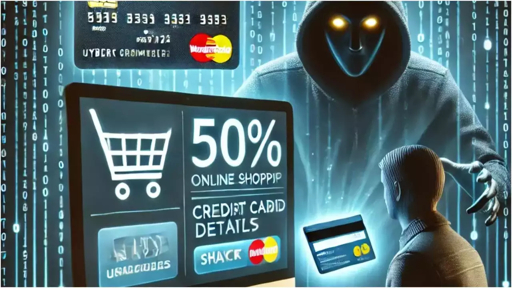
That new smartphone is suddenly 80% off.
The branded shoes you wanted are available at an “exclusive festive price.”
A courier message says your parcel is waiting—but you must pay ₹25 before it can be delivered.
Then a customer-care agent offers a refund, but asks you to install an app first.
These are not always genuine festive offers. They can be the opening move in an online shopping scam.
During sale seasons, people receive more promotional emails, courier alerts, discount notifications, social-media ads and payment requests than usual. Fraudsters use this noise to make fake offers look normal. They create websites that resemble real stores, run social-media advertisements, send delivery-tracking links and use refund messages to pressure people into paying or sharing sensitive information.
The safest rule is simple: verify the website, seller and payment request before you pay—not after.
The Deal That Looked Too Good to Ignore
Imagine this.
You are scrolling through Instagram or Facebook. You see an advertisement for a premium smartwatch priced at ₹1,199 instead of ₹8,999.
The product image looks professional. The website has a logo. It shows customer reviews. A countdown says:
textFestive Flash Sale Ends in 08:17 Minutes
Only 4 Items Left
Free Delivery Across India
You click the link.
The site asks for your name, address, mobile number and UPI payment. You pay. The page confirms the order.
But then:
- You do not receive a real order confirmation.
- The tracking link never works.
- Customer care does not reply.
- The website disappears after a few days.
- The “seller” asks you to pay another amount for delivery, tax or refund processing.
- A customer-care agent sends an APK file and says it is required for a refund.
The ₹1,199 offer was never about selling a smartwatch. It was about collecting money, bank details or access to your phone.
Bank fraud-awareness guidance warns that fake shopping websites often use unrealistic discounts, copied brand designs, vague contact details and advance-payment requests to trick online shoppers.
Why Online Shopping Scams Increase During Sales
Festive sale periods create the perfect environment for fraudsters.
People are busy. They expect frequent delivery messages. They compare discounts quickly. They may buy from unfamiliar sellers to get a better deal.
Fraudsters use this behaviour to create urgency.
They want you to think:
text“If I wait, I will lose the offer.”
“If I don’t click now, my parcel will be returned.”
“If I don’t pay, I will not receive my refund.”
“If I don’t update details, my order will be cancelled.”
The scam works when urgency replaces verification.
Scam Type 1: The Fake Shopping Website
A fake shopping website may look polished and genuine. It can copy the layout, colours, products and style of an established brand.
Some fake sites even display:
- A lock icon in the browser
- Product reviews
- Sale banners
- Limited-stock messages
- Return-policy pages
- Brand-like logos
- Checkout pages
- Payment options
But these visual elements do not prove that the website belongs to a legitimate seller.
Warning signs of a fake shopping website
Watch for these red flags:
- The price is unrealistically low.
- The sale countdown creates pressure.
- The website address looks unusual.
- The business name is unclear.
- There is no proper customer-care number or address.
- The site has no clear refund or return policy.
- The seller asks for payment only through UPI or bank transfer.
- The payment recipient is a personal name unrelated to the store.
- Independent online reviews are missing or negative.
- The site was shared through an unknown social-media advertisement or WhatsApp message.
Check the website address
Look closely at the domain.
A real brand may use:
textbrandname.in
A suspicious lookalike might use:
textbrandname-sale.in
brandname-discount.shop
brandname-india-offer.com
brandnameofficial.store
The extra word, unusual extension or spelling change can be enough to identify a fake site.
Scam Type 2: The “Your Parcel Is Waiting” Message
Fake courier messages are effective because many people genuinely expect deliveries during shopping seasons.
You may receive an SMS, WhatsApp message or email saying:
“Your parcel could not be delivered. Update your address now.”
“A delivery fee of ₹25 is pending.”
“Your order is on hold. Click here to reschedule delivery.”
“Your parcel will be returned today if payment is not made.”
The message may include a link that looks like a courier-tracking page.
But the link can lead to a fake website designed to collect:
- Card details
- CVV
- OTPs
- UPI PINs
- Email passwords
- Personal information
- Small “delivery fee” payments that lead to bigger fraud later
Do not click courier-tracking links received through SMS, WhatsApp or email.
Instead, open the official shopping app or courier website manually and enter the tracking number there. Security guidance specifically recommends checking delivery status through official websites rather than links sent in messages.fcc
+2
Scam Type 3: The Fake Refund Call
You ordered a product, but it has not arrived. You want a refund.
You search online for customer care. You find a phone number, call it and speak to someone who sounds helpful.
They say:
“Your refund is approved.”
Then they ask you to:
- Install a “refund app”
- Open a link
- Share your screen
- Enter your UPI PIN
- Approve a collect request
- Scan a QR code
- Share an OTP
- Download an APK file
Stop immediately.
A real refund does not require any of these actions.
Remember this rule
You never need to enter your UPI PIN to receive money.
Your UPI PIN authorises a payment from your account. If you enter it, you may be approving money to leave your account.
You also do not need to install an APK file to receive a refund. An unexpected APK can be malicious and may try to access messages, notifications, banking applications or sensitive permissions on your Android phone.
Scam Type 4: The Instagram or Facebook Discount Ad
Not every social-media advertisement is fraudulent. But a paid ad should not be treated as proof that a seller is genuine.
Fraudsters can create attractive ads for:
- Smartphones
- Laptops
- Branded shoes
- Clothing
- Jewellery
- Home appliances
- Festival gift hampers
- Travel packages
- Event tickets
- Beauty products
The ad may lead to a fake store, a WhatsApp order page, a Telegram channel, an unknown payment link or a malicious application download.
Before buying through a social-media ad:
- Search for the seller independently.
- Check the website address carefully.
- Look for real business contact details.
- Review return and refund policies.
- Search the brand name with “reviews,” “complaint” and “scam.”
- Avoid paying a personal UPI ID for an unknown store.
- Do not download an application from the advertisement.
The 60-Second Safe Shopping Check
Before paying for an unfamiliar online offer, pause and answer these questions:
text1. Is the discount realistic?

2. Does the website address look exactly correct?

3. Does the seller have a real business name, address and customer support?

4. Can I find independent reviews outside the seller’s own website?

5. Is the payment going to a verified business account?

6. Am I being pushed to pay quickly?

7. Would I still buy this if there were no countdown, “limited stock” message or festive urgency?
If even one answer makes you uncomfortable, do not pay immediately.
What You Should Never Do
During online shopping, do not:
- Click unknown sale, delivery or refund links.
- Install APK files sent through WhatsApp, SMS, Telegram or email.
- Share OTPs, UPI PINs, CVVs, card PINs or banking passwords.
- Scan a QR code to “receive” a refund.
- Approve a UPI collect request without reading it carefully.
- Share your screen with a customer-care agent.
- Trust an offer only because it is on Instagram or Facebook.
- Pay a personal UPI ID because the “website payment gateway is not working.”
- Call customer-care numbers found in random social-media comments or ads.
- Make a rushed payment because a sale ends in a few minutes.
A Simple Example: The ₹25 Delivery Fee Trap
A scammer sends this message:
“Your package cannot be delivered because your address is incomplete. Pay ₹25 now to reschedule: [link]”
You click the link. The fake courier page asks for card details or UPI payment.
The ₹25 may seem harmless. But the fraudster may use the payment page to capture your card information or convince you to approve a larger UPI transaction.
Never judge a payment request only by the amount.
A small payment request can be a test before a larger fraud attempt.
What To Do If You Already Paid
If you think you have paid a fake shopping website, delivery link or fraudulent seller, act quickly.
Step 1: Call your bank or payment provider
Use the official phone number in your bank’s app, on its website or on the back of your card.
Provide:
- Transaction ID or UTR number
- Amount paid
- Date and time
- UPI ID, account number or card details used
- Website URL
- Seller profile or contact details
- Screenshots of the offer and payment page
Ask the bank to record the fraud report and check whether a hold, recall, dispute or freeze is possible.
Step 2: Call India’s cybercrime helpline
Call:
text1930
Report the incident as early as possible.
Step 3: File a complaint online
Submit the report at:
texthttps://cybercrime.gov.in
Keep evidence ready before filing the complaint.
Step 4: Save all evidence
Do not delete messages, screenshots or emails.
Save:
- Website URL
- Product images
- Sale advertisement
- Seller profile
- Order confirmation
- Transaction ID
- UPI ID
- Bank account details
- Delivery messages
- Emails
- Call logs
- APK file name, if one was sent
Step 5: Report the account or advertisement
Report the seller, account, advertisement, website or channel on the platform where you found it.
This may include:
- Telegram
- The marketplace
- The courier company, if its name was impersonated
Tips for Small Businesses
Online shopping fraud is not only a consumer issue. Employees may use business email, company phones, office cards or business accounts to place vendor orders, buy supplies or track deliveries.
Businesses should create simple rules:
- Do not install unknown apps on work phones or office computers.
- Verify all new suppliers before making payments.
- Use controlled business cards or dedicated purchasing accounts.
- Set transaction limits and instant payment alerts.
- Require approval for large online purchases.
- Train employees about fake courier links and refund scams.
- Verify account-detail changes using known vendor phone numbers.
- Use multi-factor authentication for business email and payment accounts.
- Check suspicious messages, links, QR codes and payment screenshots before acting.
How ScamShield AI Can Help
ScamShield AI helps individuals and businesses assess suspicious online content before money or data is lost.
Use ScamShield AI when you receive:
- A suspicious shopping website link
- A courier-delivery SMS, WhatsApp message or email
- A refund request
- An APK download prompt
- A QR code
- A UPI collect request
- A payment screenshot
- A seller’s UPI ID
- A customer-care message
- A suspicious social-media advertisement
ScamShield AI can highlight fraud signals and explain why a message, link, document or payment request may be risky.
But the strongest protection is still your decision to pause.
Verify the website. Verify the seller. Verify the payment request. Then pay.
Frequently Asked Questions
How do I know if an online shopping website is fake?
Check the website address, seller identity, business contact details, return policy, payment method and independent online reviews. Be cautious of unrealistic discounts, urgent countdowns, missing contact information and advance-payment requests to a personal UPI ID.
Can a fake website have a lock icon?
Yes. A lock icon means that the connection to the website is encrypted. It does not prove that the website owner or online seller is genuine. Fake websites can also use HTTPS.
Should I click a courier-delivery link in an SMS?
No. Open the official courier website or the retailer’s app manually and enter the tracking number there. Avoid clicking tracking links received through unexpected SMS, WhatsApp or email messages.fcc
+1
Do I need to enter a UPI PIN to receive a refund?
No. You do not need to enter a UPI PIN to receive money. Your UPI PIN approves money leaving your account.
Can customer care ask me to install an APK for a refund?
No. Genuine customer-care teams should not ask you to install an APK file, share your screen, reveal an OTP or enter your UPI PIN to receive a refund.
What should I do if I paid a fake shopping website?
Contact your bank or payment provider immediately, call 1930, preserve all evidence and submit a complaint at cybercrime.gov.in.icici.bank
+1
Final Takeaway
Festive shopping should feel exciting—not risky.
A fake sale can look genuine. A fake courier message can arrive when you are expecting a delivery. A fake refund call can sound helpful. That is why fraudsters use these methods.
Before your next online purchase, remember:
A discount is not proof. A logo is not proof. A social-media ad is not proof. A countdown is not proof.
Take 60 seconds to verify before you pay. It may save your money, your bank account and your identity.